Share and present Library material
Set lasting access, show a page to the table, track dismissals, and stop presentations.
Library sharing has two controls with different jobs. Access is durable: it decides what someone may find and read. Presentation is temporary: it asks chosen screens to open one page now.
New notes and other prep-oriented Library entries start GM only. A non-GM who is allowed to create one remains its owner, but it is not shared with the table until its owner or a GM changes access. Existing entries keep their stored access.
#Set access first
Open an entry's sharing controls and choose the least access that supports the session:
- No access keeps the entry out of that person's Library.
- Name only lets them know the entry exists without reading its pages.
- Can read makes allowed pages readable later.
- Can edit also allows changes to the entry.
Set access for everyone or choose specific people. A page normally uses Same as document. Choose Only people who can edit for a working page or GM only for private preparation. A stricter page remains stricter even when the entry itself is readable.
The sharing list is management metadata. GMs and the entry's actual owner receive the complete grant list. Other readers receive only their own explicit grant, or no named grant when their access is inherited; an editor does not learn who else can read or edit the entry.
#Present Night One
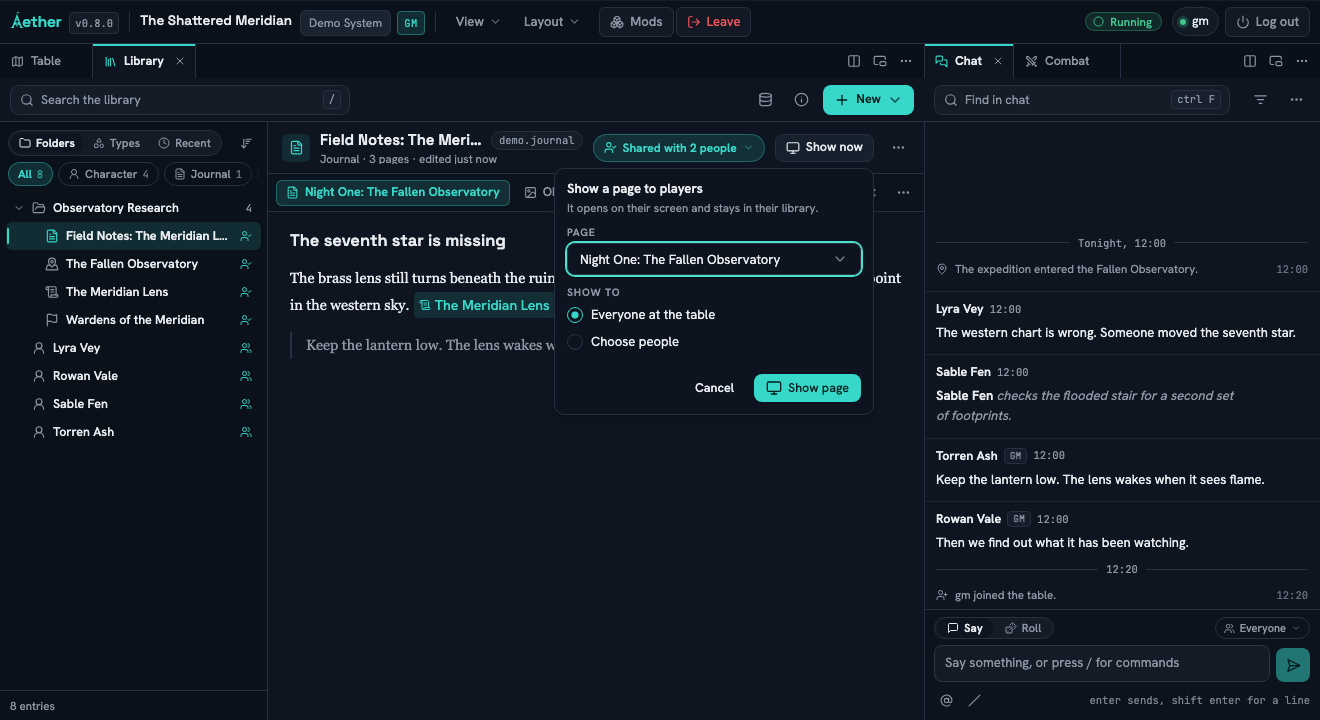
Open Show now
In Field Notes: The Meridian Lens, select Night One: The Fallen Observatory and choose Show now.
Choose the audience
Choose Everyone at the table or Choose people for Alice and Bob. Read the stated access consequence, then choose Show page.
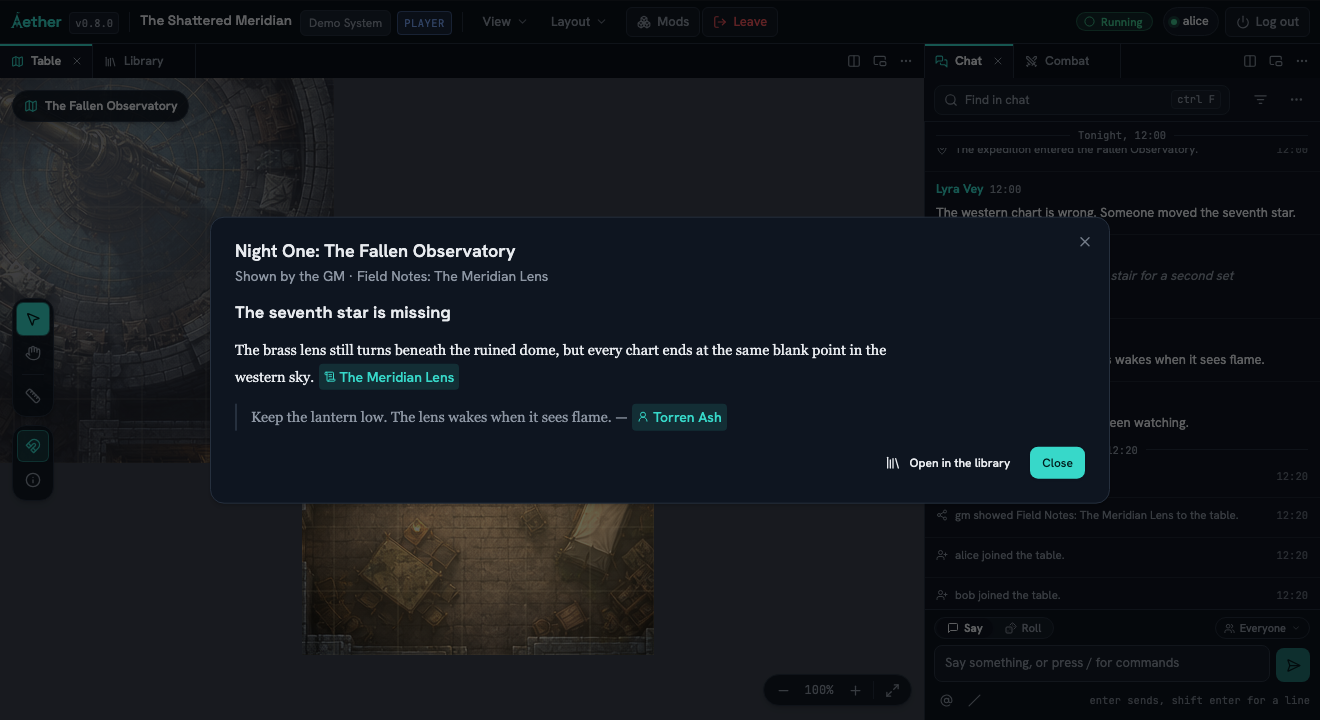
Verify the player controls
On each recipient's screen, verify the page can be closed. When access allows it, verify Open in the library and find the page again after closing the presentation.
Track and finish
Close the page as Alice and verify the GM bar reports 1 of 2 closed. Choose Stop showing when the interruption is over.
Several pages can be presented at once. Each presentation keeps its own audience, dismissal count, and Stop showing action. Starting another presentation does not grant broader access or erase the first one.
Presenting is not a permission shortcut
Showing a page does not make a GM-only page safely readable later. Check access before you present, especially when the selected audience is narrower than everyone at the table.