Install and use Soundscapes
Install Aether's first-party layered-audio mod and build arrangements from native cues.
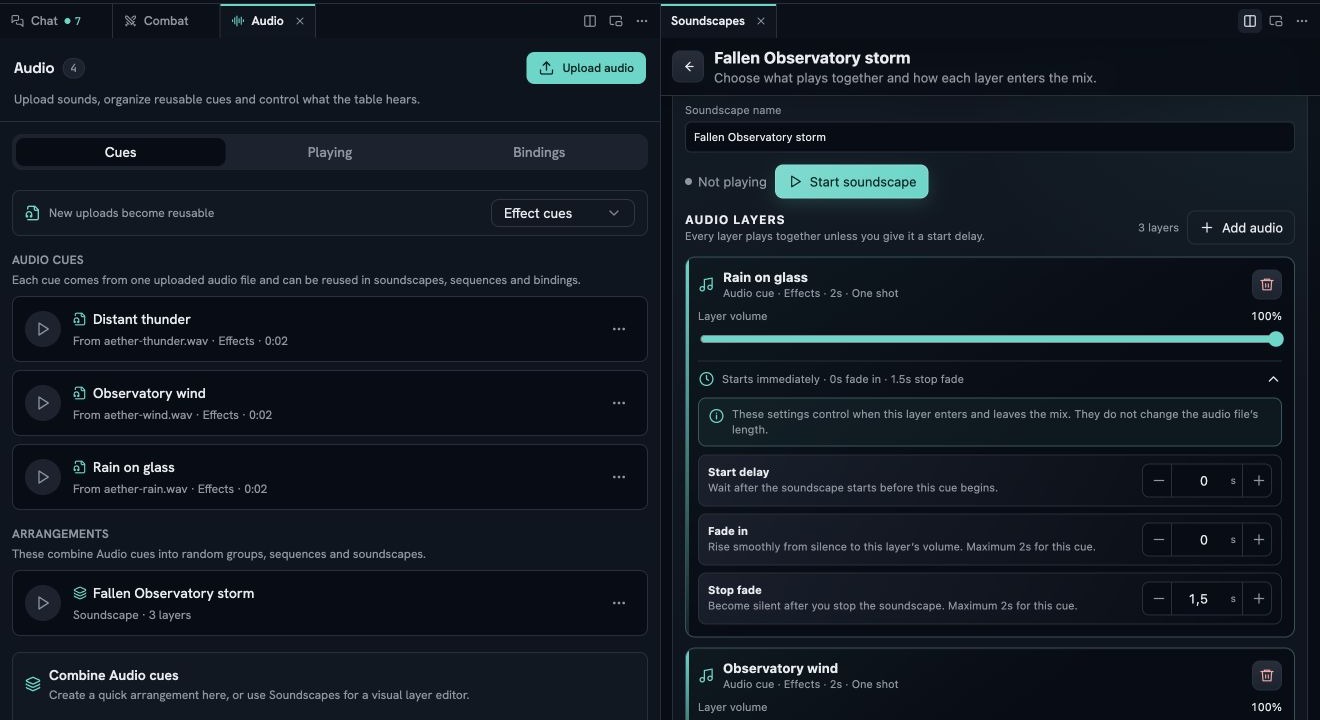
Soundscapes is Aether’s maintained first-party example of an audio extension. It adds a focused panel for layered soundscapes, random groups, and sequences. Native Aether still owns uploads, private assets, playback, consent, volume, permissions, and scene or handout bindings.
Soundscapes supplies tooling only. It includes no music, ambience, or sound-effects catalogue.
#Install it
Open Mods, find Soundscapes in the Marketplace, and review its four requested capabilities:
- Read table audio reads projected definitions, bindings, and active playback.
- Manage table audio creates and updates audio definitions through validated server commands.
- Control table audio starts and stops authoritative playback.
- Watch table audio receives the projected playback state for its panel.
Approve only the capabilities you intend to grant, enable the mod, then open View → Soundscapes. The mod runs in Aether’s sandbox and uses the same public bridge available to third-party extensions. It does not receive general document-creation access or network access.
#Prepare native cues
Soundscapes works with cues already stored in the world. If its builder is empty, open the native Play audio at the table page and follow Upload and make a cue. Return to Soundscapes after the upload appears in Audio.
#Create an arrangement
Enter a name, choose an arrangement, and select the source cues:
- Layer together creates a soundscape whose cues start together.
- Choose one at random creates a random group. The server makes one choice for the table and avoids an immediate repeat when more than one cue is available.
- Play in order creates a sequence with bounded spacing between steps.
Choose Create. The result is a native audio definition, so it also appears in View → Audio and can be used by native scene and handout bindings. Removing or changing the mod does not invent a second audio store.
#Start and stop a soundscape
Choose Start beside a soundscape. Soundscapes requests a 1.5-second crossfade through the public control capability. Choose Fade out to stop that instance for its projected audience. Player consent and local buses still apply exactly as they do to audio started in the native panel.
If the panel reports a refused command, check that Soundscapes is enabled, its audio capabilities remain granted, the definition still references available cues, and the user invoking it has the world’s audio permission. See When audio does not play for browser, tab-leadership, and codec failures.
#Native audio and the mod
| Native Aether | Soundscapes |
|---|---|
| Uploads and verifies private files | Selects existing native cues |
| Stores cues, groups, sequences, soundscapes, and bindings | Creates native groups, sequences, and soundscapes through the SDK |
| Authorizes playback URLs and audiences | Requests play and stop through granted capabilities |
| Owns consent, volume buses, multi-tab leadership, and error handling | Receives only projected playback state |
The boundary is intentional: uninstalling a tool must not weaken server authority or player consent.