Play audio at the table
Upload private audio, build cues, control shared playback, and let every player choose their own volume.
Aether table audio has two halves. The GM decides what is playing and who should receive it. Each player decides whether to join audio and how loud music, ambience, and effects are on their own device. A GM cannot unmute a player or change a player's volume.
#Upload and make a cue
Open View → Audio, choose the bus for the new file, then choose Upload. Aether accepts MP3, PCM WAV, Ogg Vorbis or Opus, WebM Vorbis or Opus, and MP4 or M4A AAC files up to 100 MiB. It checks the file signature, container, codec, and duration; renaming an unsupported file does not make it uploadable. Aether does not transcode audio, so test each file in the browsers your group uses.
An upload creates a cue. Effects start once and use no fade by default. Music and ambience loop and use a one-second fade. Use Play to preview through the same shared path players hear. Preview is not a private local bypass.
Bring audio you may use
Aether ships no music or sound-effects catalogue. Upload only audio you created or are licensed to use and share with your table.
#Build random groups, sequences, and soundscapes
In Build from cues, name the new definition and select its source cues:
- A random group asks the server to choose one cue. Everyone receives the same choice.
- A sequence starts the selected cues in order, with bounded delays.
- A soundscape starts selected cues as layers. Use the Soundscapes mod for a focused layered-audio workspace built on this same native capability.
The server resolves nesting and timing once. Clients never roll their own random choice. A world may store 128 audio definitions and 256 bindings. A definition may contain at most 64 random entries, 64 sequence steps, 16 soundscape layers, and 16 scheduled random events; fades stop at 30 seconds. The table may have 24 active playback instances and one instance resolves to at most 32 tracks. After 30 audio commands in 10 seconds, Aether asks that user to wait before sending more.
#Control playback
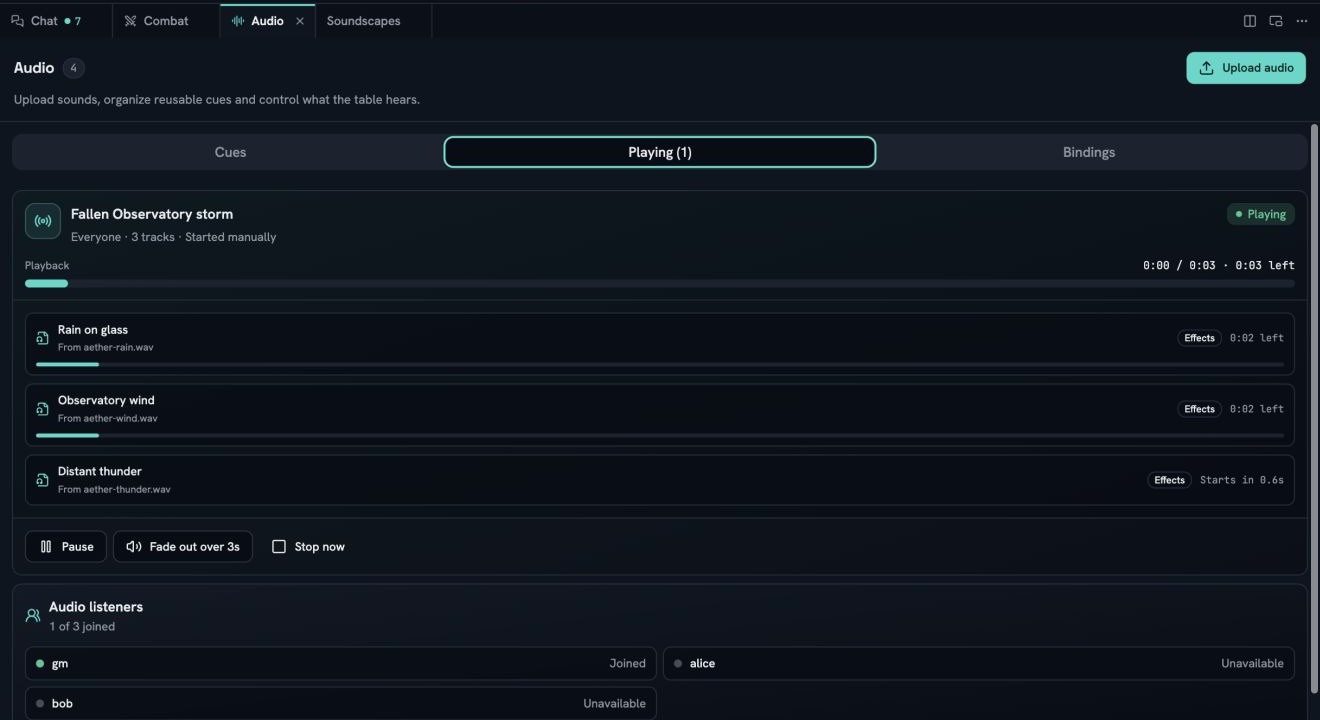
The Playing tab shows the authoritative instances and their audience. Pause or resume an instance, fade it out, or fade out everything. A late join receives current looping tracks at their current position. A short one-shot that is already more than five seconds late is not replayed.
Active manual playback is session state. It is not restored after the world sleeps or the server restarts. Reconnect delivers the current state while the world is still running.
#Let players join and set volume
Every participant opens Audio in the top bar and chooses Join audio. That click records consent and supplies the browser gesture required to start media. Keep silent declines. A player can leave later without stopping playback for anyone else.
Master, music, ambience, effects, mute, and meaningful-cue announcements are local settings. With the same world open in several tabs, Aether elects one tab to emit sound; another tab takes over when the leader closes.
#Bind audio to scenes and handouts
Open Bindings, choose a trigger, choose the scene or handout, then choose a definition. Scene activation and deactivation bindings follow the world’s authoritative active scene. A handout binding is projected only to the people in that presentation audience. Removing a person's access also removes playback URLs they are no longer allowed to use.
Bindings remain in the world across restarts. The playback they start does not.
#When audio does not play
- Join audio is still shown: choose it in the tab where you want sound. Browsers require the click even when you joined during an earlier visit.
- Another tab is playing audio: close that tab or leave it open; leadership transfers automatically.
- The browser paused table audio: open the Audio control and try joining again.
- One file fails: the browser may not decode that codec/container combination. Aether reports the track error but does not transcode it. Export a supported codec and upload the new file.
- A cue says its file is missing: delete or repair the definition; asset URLs are private and a stale or unauthorized URL will not play.
- Playback vanished after a wake: this is intentional. Start it again from the Audio panel.
For connection and world-access failures, see Connection and access.