Switch between Map and Tabletop
Use the complete top-down editor or orbit the same live scene as a three-dimensional table.
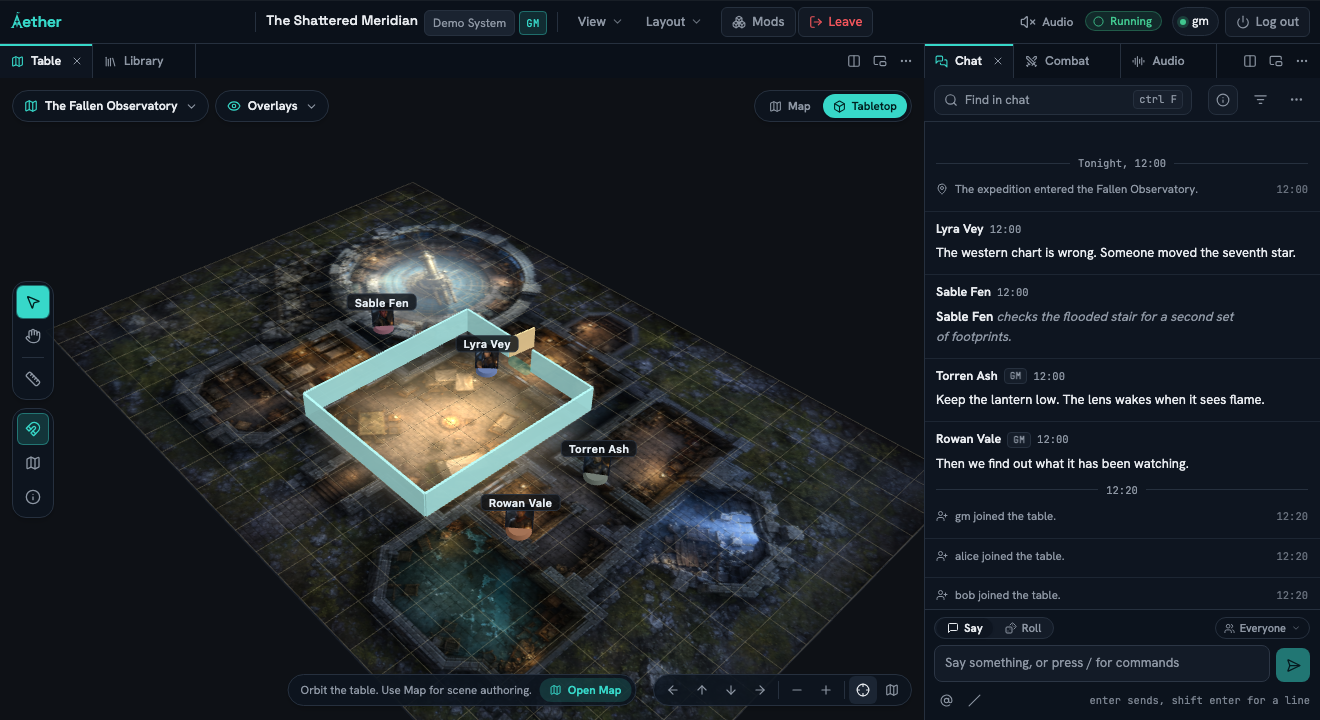
Use Map for the complete top-down scene editor. Choose Tabletop to orbit the same scene with solid walls, swinging doors, authored rooms, visual props and upright image-token standees.
#Choose the view for your task
The Map and Tabletop switch is at the upper right of the table. Aether remembers your Map position and Tabletop camera separately for each scene. Another player can orbit, pan, zoom or return to Map without moving your camera.
In Map, the existing tools remain available: select, pan, token, wall, light, drawing, image, note, measure, fog and grid setup. In Tabletop, you can select and drag tokens or use the pan and measure tools. Choose Open Map before editing walls, lights, drawings, images, notes, fog or grid settings. A GM can open Scene Builder in either view to edit one shared set of floors, dimensional walls, anchored doors and windows, materials and visual props.
Tabletop camera controls sit at the lower right:
- Drag empty space to orbit around the table.
- Hold Shift while dragging empty space to pan across the ground plane.
- Scroll, pinch, or use Dolly in and Dolly out to change distance.
- Use Orbit left, Orbit right, Orbit up and Orbit down for fixed camera steps.
- Choose Reset Tabletop view to return to Aether's starting angle.
- Choose Return to top-down Map to restore that scene's last Map position.
The camera stays above the table and cannot roll upside down. Existing top-down walls are 0.85 grid cells high and 0.08 cells thick in Tabletop. Scene Builder walls use their saved height and thickness. Image tokens stand upright, while placed scene images stay flat.
#Each player keeps their own view
Each player can orbit, pan and zoom independently, and Aether restores that scene's Tabletop camera after a reload. Changing the angle does not reveal hidden pieces or unexplored areas.
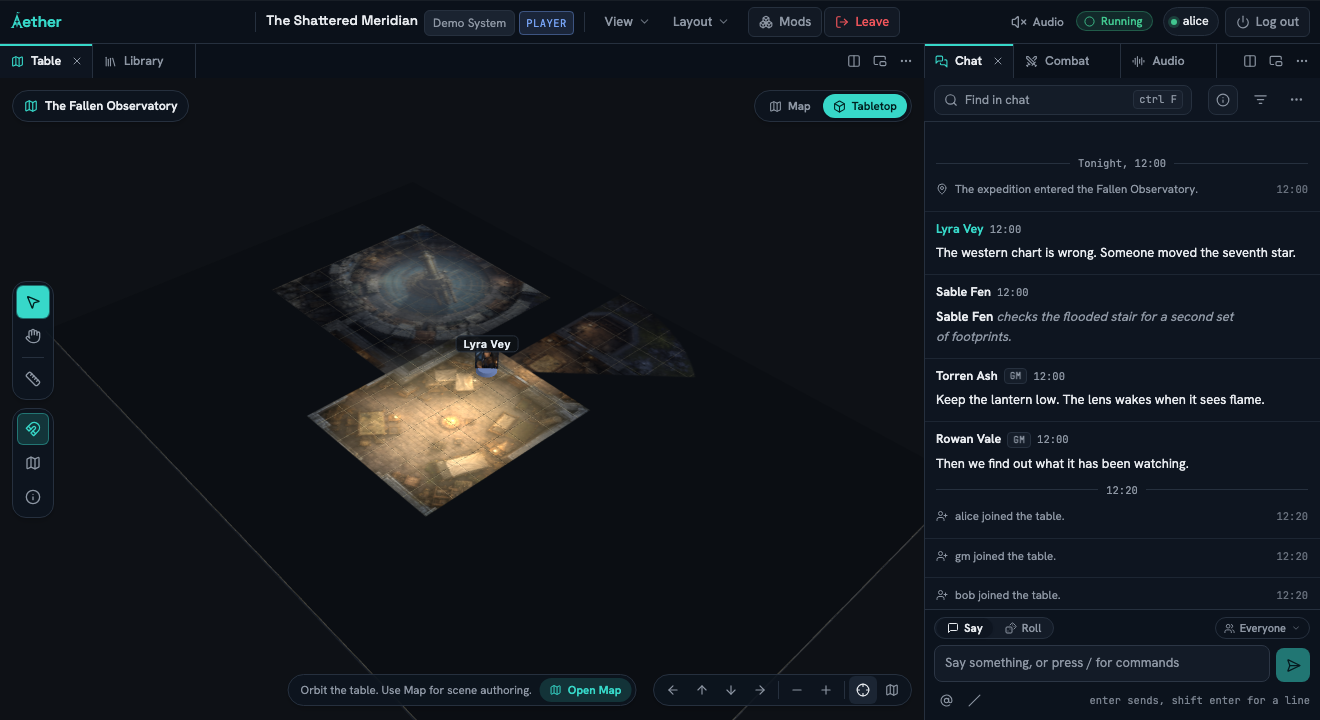
Opening a door or moving an owned token updates the same live scene for everyone who can see the change.