Organize your world in the Library
Create, file, browse, search, and open the material that runs a campaign.
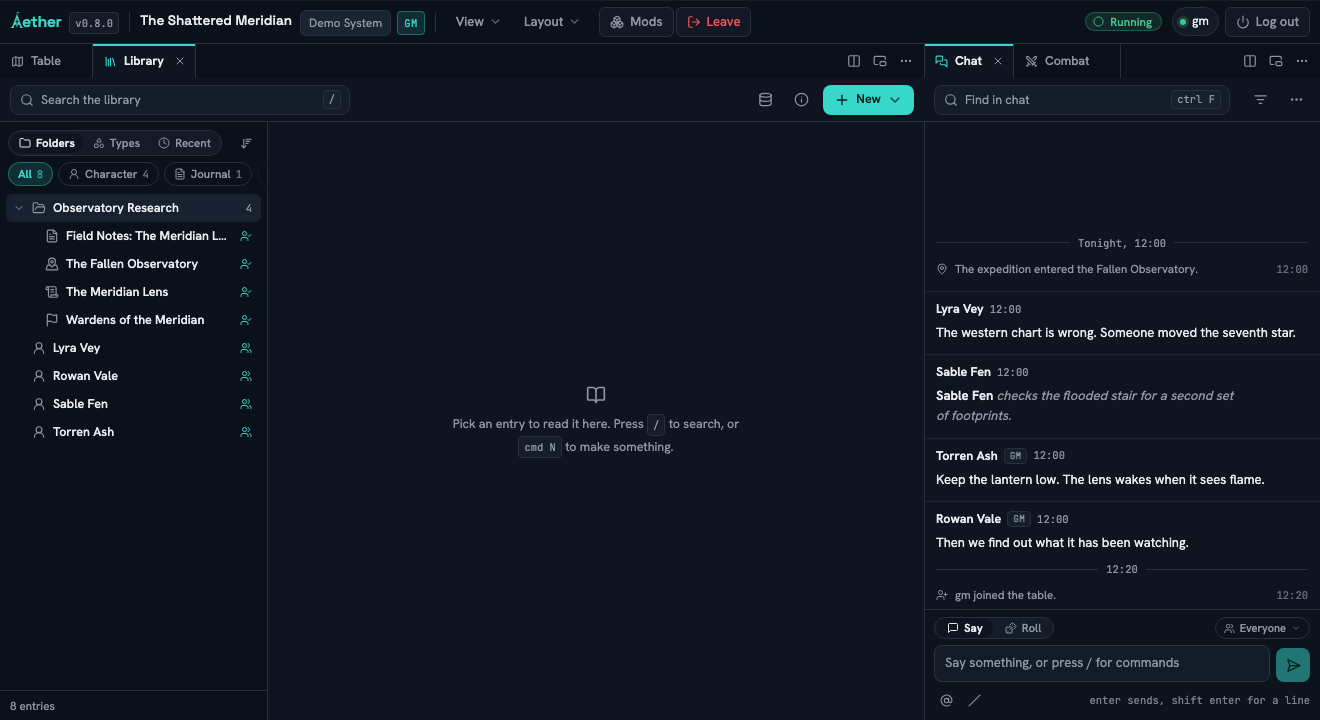
The Library is Aether's world-building tool, not a file picker attached to the map. It holds notes, handouts, actors, scenes, and system-defined campaign records in the world where the table uses them.
#Build a useful shelf
Create a folder and entry
Open Library, choose New → Folder, and create Observatory Research. Choose New → Note, create a session entry, then move it into that folder. The menu says Starts GM only: the entry remains private until someone deliberately shares it.
Browse three ways
Use Folders to follow your own structure, Types to gather records with the same purpose, and Recent to return to work you just touched. These are views of the same records, not copies.
Search inside pages
Search for a phrase that appears in page text, not only a title. Open the matching result and clear the search before continuing.
Upload a handout
Choose New → Upload a file and select the image or document players should receive. Give the resulting entry a useful title and file it beside the notes that explain it.
Open an actor sheet
Find Lyra Vey, open the entry, and switch from Article to Sheet. The Sheet is the system's playable view; Article holds the actor's world-facing written material.
Use an entry's More actions → Copy link to copy a hosted URL that launches this world and opens the entry. A page with a stable page ID also offers Copy link to page. Links survive sign-in and open the singleton Library whether it was closed or already open. If the target is gone, malformed or unavailable to the recipient, the same generic unavailable state is shown without its old name, type or owner.
Records is a diagnostic editor
Records exposes the GM-only underlying documents, including scenes and system data. Use it to inspect or repair a record that the normal Library view cannot express. It is not the everyday world-building workflow and players do not receive it.